WhatsApp Business App vs WhatsApp Business API: Which One Does Your Business Need?
There are three different WhatsApp products, and the names do almost nothing to tell them apart. Businesses regularly pay for the wrong one, or stay on the free one for two years past the point where it stopped working for them.
The short version:
- WhatsApp Messenger — the consumer app. Not for business use.
- WhatsApp Business app — free, runs on one phone, built for a shop or a solo operator.
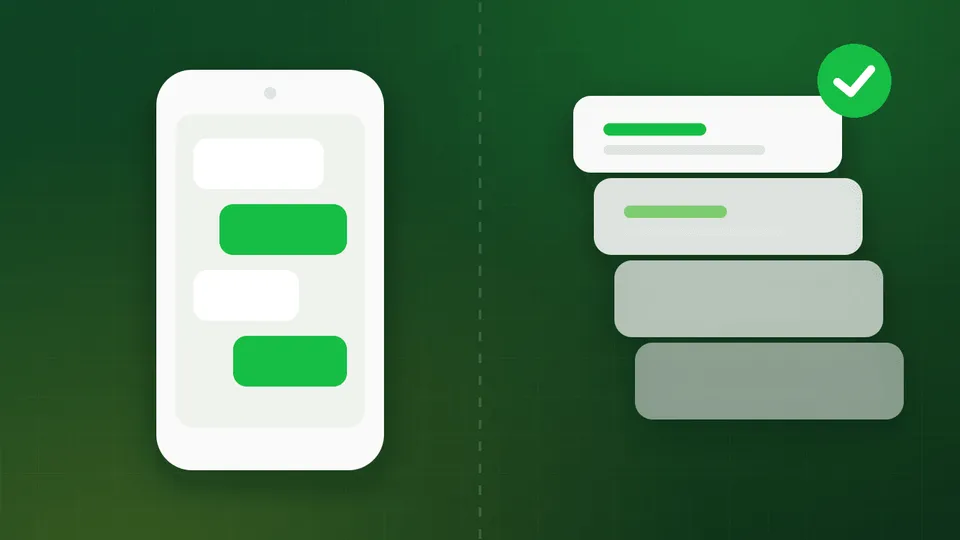
- WhatsApp Business API (the WhatsApp Business Platform) — no app at all; a connection that lets software send and receive on your number, built for teams and volume.
The rest of this piece is about choosing between the last two.
The comparison, in one table
| WhatsApp Business app | WhatsApp Business API | |
|---|---|---|
| Cost | Free | Free access; per-message charges from Meta + provider subscription |
| Where it runs | One phone (plus linked devices) | Cloud — a web dashboard, or your own code over a REST API |
| Team access | Effectively one person at a time | Unlimited agents on one number, simultaneously |
| Broadcast limit | 256 contacts per list, only to people who saved your number | Thousands per campaign, no save-your-number requirement |
| Automation | Away message, greeting, quick replies | Full chatbots, routing, triggers, webhooks, CRM and API integrations |
| Green tick eligible | No | Yes |
| Analytics | None to speak of | Delivery, read, click, agent and campaign reporting |
| Setup | Download and verify | Meta Business portfolio, verification, provider onboarding |
| Best for | Single-location shops, freelancers, under ~50 chats/day | Teams, multi-agent support, campaigns, systems integration |
The four signals you have outgrown the app
Ignore feature checklists for a moment. In practice, businesses move to the API when one of these four things starts hurting.
1. More than one person needs to answer
The app is built around a single handset. Linked devices help a little, but you still have no assignment, no “who is handling this,” no internal notes, and no way to stop two people replying to the same customer with different answers.
On the API, the number lives in a shared inbox. Queries route to the right team, each conversation has an owner, and agents can see history and notes. Convo does not charge per agent, so this is a scale question rather than a budget one.
2. The 256-contact broadcast ceiling
The app’s broadcast lists cap at 256 recipients — and there is a much harsher catch most people discover after the fact: a broadcast only reaches people who have saved your number in their contacts. Send to 256 people, and if 40 of them saved you, 40 receive it.
The API has no such requirement. You broadcast to your opted-in list, segmented however you like, and delivery depends on opt-in and messaging tier rather than on whether the customer happened to save your number.
3. You want messages to fire from your own systems
Order shipped. Payment failed. Appointment tomorrow. Fee due. Class cancelled.
None of that can be automated on the app — someone types it. On the API, your
e-commerce platform, ERP, CRM or LMS calls an endpoint and the message goes out.
With Convo that is a single authenticated POST to
connect.api-wa.co/project-apis/v1/project/{project_id}/messages, and delivery
and reply events come back to a webhook you own. That is the difference between
“we use WhatsApp” and “WhatsApp is part of how the business runs.”
4. You need to prove what happened
The app gives you no meaningful analytics. The API gives you delivery, read and click data per campaign, per segment, per template, plus agent-level response times. If anyone in your organisation asks what a campaign returned, you need the API.
What the API costs you in exchange
It is not a free upgrade, and it is worth being honest about the trade-offs.
You pay per message. Since July 2025 Meta bills per delivered template message, priced by category and country. India is among the cheapest markets globally — well under ₹1 for a marketing message, a fraction of that for utility and authentication — but it is not zero.
You lose free-form outbound. On the API you cannot simply type a message to someone who has not written to you in the last 24 hours. It has to be a pre-approved template. This is the single biggest adjustment for teams coming off the app, and it is worth understanding how templates and approvals work before you migrate.
Setup takes real effort. Business Verification, a display name review, a provider. Budget a few days rather than ten minutes. The step-by-step setup guide covers the whole path.
You start capped. New accounts begin at 250 conversations per day and earn their way up as quality holds. See messaging limits and quality rating.
The migration question everyone asks
Can I keep my number? Yes — but you cannot run both products on it. A number lives on the app or on the API, never both.
To migrate an existing WhatsApp Business app number:
- Export your chat history if you want to keep it. It does not transfer.
- Save your contacts somewhere outside the phone. They do not transfer either.
- Delete the WhatsApp Business account on that number.
- Register the number through Embedded Signup with your provider. In Convo it becomes a Project, and everything after is scoped to that project’s ID.
Alternatively, keep the app number for walk-in customers and put the API on a new number for campaigns and support. Plenty of businesses run both, on two numbers, deliberately.
Who should stay on the free app
Genuinely, a lot of businesses should:
- A single-location shop where the owner answers everything
- A freelancer or consultant
- Anyone under roughly 50 conversations a day with no automation needs
- Anyone with no list to broadcast to yet
The API is a cost with no return if you are not going to use broadcast, automation, or multiple agents. Build the list and the volume first.
Who should move now
- Any team where two or more people answer customers
- Anyone sending order, delivery, payment or appointment notifications
- Education, healthcare, e-commerce, real estate, finance — anywhere the customer expects updates without asking
- Anyone running click-to-WhatsApp ads, which need the API to convert properly
- Anyone who has hit the 256-contact broadcast wall
A middle path worth knowing about
If you are unsure, the cheapest experiment is a click-to-WhatsApp ad campaign pointed at an API number. Conversations that start from those ads open a 72-hour window in which every message you send is free to deliver — so you can measure whether WhatsApp actually converts for your business before you commit budget to outbound campaigns.
Making the move
Convo is an official WhatsApp Business API provider. Onboarding runs through Meta’s own Embedded Signup into your Business portfolio, includes green tick application assistance, and covers broadcast, shared inbox, chatbots, webhooks and analytics with no per-agent fee. Plans start at ₹2,500/month — see what is included, or read the API documentation if you plan to integrate directly.
If you would rather talk it through before deciding, book a 30-minute demo.
If you have decided the API is the right tier, sign up for WhatsApp Business API access on Convo or review plans and pricing.
FAQ
Is the WhatsApp Business API free? API access is free; delivered template messages are billed by Meta, and providers charge for the platform on top. The WhatsApp Business app is genuinely free.
Can I use the app and the API on the same number? No. One number, one product. You can run them on two different numbers.
Will I lose my chats if I migrate? Yes. Chat history on the app does not transfer to the API. Export anything you need first.
Do I need the green tick to use the API? No. The verified badge is optional and applied for separately — see the green tick guide.
How many agents can use one API number? As many as you like. Convo does not restrict agent count on any plan.