WhatsApp Messaging Limits and Quality Rating: How to Scale from 250 to Unlimited
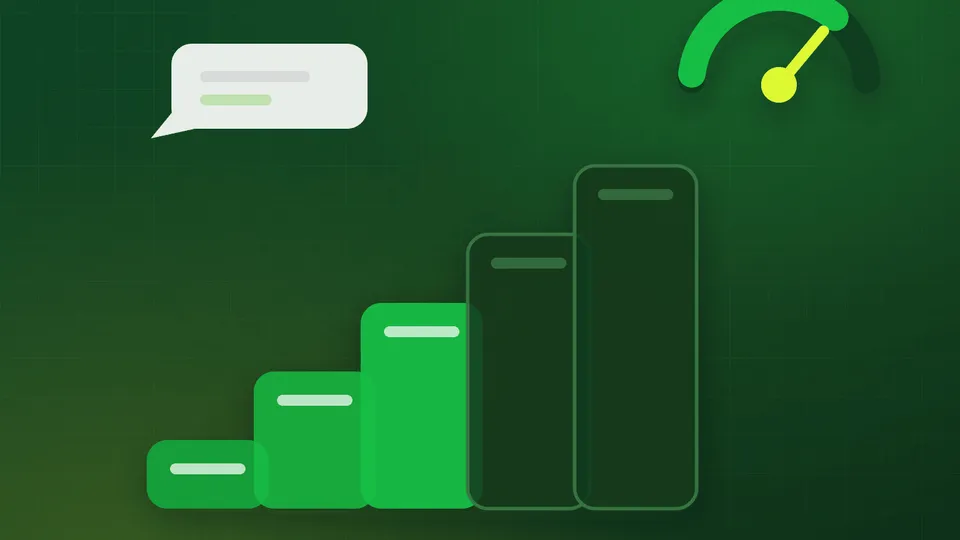
New WhatsApp Business API accounts do not get to message everybody on day one. Meta starts you small, watches how customers react, and raises your ceiling as you earn it. Businesses that do not understand this system tend to discover it the hard way — on the morning of a sale, when the campaign stops sending at message 250.
The tiers
Your messaging limit is the number of unique customers you can start a conversation with in a rolling 24-hour period. It applies to business-initiated messages only; replies to customers who wrote to you first do not count against it, and neither does inbound volume.
| Tier | Unique customers per 24 hours | How you get there |
|---|---|---|
| Unverified | 250 | Where every new account starts |
| Tier 1 | 1,000 | Complete Meta Business Verification |
| Tier 2 | 10,000 | Sustained usage at good quality |
| Tier 3 | 100,000 | Sustained usage at good quality |
| Tier 4 | Unlimited | Sustained usage at good quality |
Two structural points that matter:
Business Verification is the only step you directly control. Getting from 250 to 1,000 is a document upload, not a waiting game about behaviour. Do it on day one — the process is covered in the API setup guide.
Limits are portfolio-level, not per-number. Since October 2025, all phone numbers in a Meta Business portfolio share the highest tier that portfolio has reached, and a newly added number inherits it immediately. In practice this means consolidating your numbers into one portfolio is worth real money — a new number under an established portfolio can start at 100,000 instead of 250.
How you climb
Meta’s upgrade check is mechanical. To advance a tier you need to:
- Use at least half your current limit within a 7-day period, and
- Hold a quality rating that is not low across that period.
Meta evaluates roughly every six hours, so upgrades can land quickly once the conditions are met — often within a day or two of hitting the usage threshold.
The trap is obvious once stated: you cannot climb without sending, and sending badly will stop you climbing. A business that sits at 400 messages a day out of a 1,000 limit will stay at 1,000 indefinitely. A business that jumps to 900 a day by blasting a purchased list will go red and get cut back to 250.
The path through is volume with intent — more messages, to people who want them.
What the quality rating actually measures
Your quality rating shows in WhatsApp Manager as Green (High), Yellow (Medium) or Red (Low), and it is calculated from customer behaviour over a rolling recent window — principally:
- Blocks. Customers blocking your number. The heaviest signal by far.
- Reports. Customers reporting you as spam.
- Stated reasons. When someone blocks you, WhatsApp asks why. “No longer wanted,” “spam,” and “didn’t sign up” all feed in.
Note what is not in there. Read rates, reply rates and click rates do not improve your quality rating. It is a negative-signal metric: you cannot earn a good rating, only avoid a bad one.
What each colour means
- Green — normal operation. Tier upgrades available.
- Yellow — a warning. Your tier is frozen. You are still sending, but you are one bad campaign from red.
- Red — trouble. Meta may drop your number to a lower tier, and continued red status can lead to the number being flagged or restricted.
Ratings recover on their own once the underlying behaviour improves, typically over a week or two of clean sending. There is no appeal button; you fix the cause and wait.
The day your rating turns yellow
Treat it as an incident, not a notification. In order:
1. Stop all marketing sends immediately. Not “reduce” — stop. Utility and support messaging can continue; promotional volume is almost always the cause.
2. Find the campaign. Look at what went out in the preceding 48–72 hours. Which segment, which template, what frequency? One bad list is usually responsible.
3. Check the list source. Was it opted in? When? Did those people know they were opting in to you? A list collected 18 months ago for a different purpose behaves like a purchased list.
4. Check frequency. How many messages did that segment get in the past week? Three promotional messages in seven days will produce blocks from almost any audience.
5. Prune. Remove everyone who has never opened, never replied, and never bought. They cost money and generate blocks.
6. Resume slowly. Restart with your warmest segment — recent buyers, active customers — at a fraction of previous volume, and watch for 48 hours before scaling back up.
Staying green: what actually works
Only message people who opted in, and recently. The strongest predictor of a low block rate is that the customer remembers giving you their number. A checkbox at checkout, a click-to-WhatsApp ad, a QR code at your counter, an inbound message — all good. A spreadsheet from a vendor — never.
Segment. Sending a relevant offer to 2,000 people beats a generic one to 12,000 on both revenue and blocks. Convo stores tags and custom attributes on every contact for exactly this; the Basic plan carries 10 tags and 5 attributes, Pro carries 100 and 20.
Cap frequency. For most Indian consumer businesses, one to two promotional messages a week is the sustainable ceiling. Utility messages tied to real transactions do not count toward that fatigue in the same way — nobody blocks a shipping update.
Make opting out easy. Put “Reply STOP to opt out” in the footer of every marketing template and honour it immediately. A customer who opts out costs you nothing. A customer who blocks you costs your whole account.
Lead with value. Discounts, order information, appointment reminders, genuinely useful updates. “Just checking in” messages get blocked.
Answer replies fast. A number that only broadcasts and never answers reads as a spam channel. Route inbound queries to a shared inbox — or a webhook into your own system — and reply. WhatsApp is supposed to be a conversation.
Watch per-template quality too. Meta tracks quality at the template level as well as the number level. A single template drawing complaints can be paused independently. Retire poor performers instead of pushing volume through them — see the template guide.
Messaging limits versus API rate limits
Two different ceilings, often conflated:
- Messaging limit — how many unique customers you can initiate with per 24 hours. The tier system above. Set by Meta.
- API rate limit — how many API calls you can make per minute. Convo’s
plans carry 1,200 calls/minute; exceed it and the API returns HTTP
429and you back off. This is well beyond what most businesses need.
Hitting the messaging limit stops your campaign. Hitting the rate limit just throttles your send speed. The first is a strategy problem; the second is an engineering one.
A realistic ramp
| Week | Limit | What to do |
|---|---|---|
| Week 1 | 250 | Submit Business Verification. Send to your 100 warmest contacts. Watch quality. |
| Week 1–2 | 1,000 | Verification approved. Segment your list. Send 500–700/day of relevant content. |
| Week 3–4 | 10,000 | Broaden segments carefully. Keep frequency capped. Prune non-openers. |
| Month 2–3 | 100,000 | Full campaign programme. Monitor quality weekly. |
| Month 3+ | Unlimited | Sustained volume with green quality. |
Nothing about this needs to be slow — plenty of accounts reach tier 3 inside a month. It needs to be deliberate.
Where Convo helps
Campaign analytics on both plans show delivery, read and reply rates per campaign and segment, so you can see a problem building before Meta flags it. Advanced filters and audience segregation let you cut the list properly rather than broadcasting to everyone, and Pro adds click tracking and a scheduler for spacing campaigns out.
Book a 30-minute demo if you want a review of your current segmentation and send frequency.
FAQ
What is the WhatsApp Business API messaging limit? The number of unique customers you can start a conversation with in 24 hours. New accounts start at 250; verified accounts at 1,000; tiers rise to 10,000, 100,000 and unlimited.
How do I increase my WhatsApp messaging limit? Complete Business Verification for the first jump, then use at least 50% of your current limit within 7 days while keeping your quality rating out of the low band.
Does the green tick raise my messaging limit? No. Business Verification does; the verified badge does not. See the green tick guide.
How long does a low quality rating last? Typically one to two weeks of clean sending to recover, though there is no fixed timer — it tracks a rolling window of customer feedback.
Do inbound messages count toward my limit? No. Only business-initiated conversations count. Replying to a customer inside the 24-hour window is unlimited.
Can I get my limit reduced? Yes — a red quality rating can push you down a tier. It is restored the same way you earned it: clean sending at sustained volume.