How to Get the WhatsApp Green Tick: Business Verification and the Official Business Account, Explained
The green tick is the most-asked-about and least-understood part of WhatsApp for business. Two things are true at once: it measurably improves how customers respond to you, and you do not need it to run a serious WhatsApp operation.
Both matter, because a lot of businesses stall their entire launch waiting for a badge they were never going to get in month one.
What the badge actually is
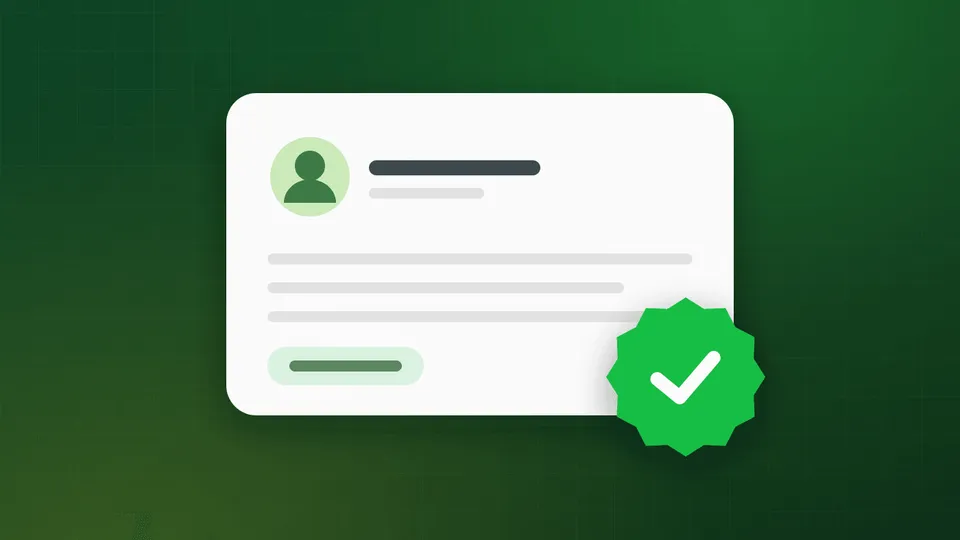
The green tick marks an Official Business Account (OBA) — Meta’s confirmation that a WhatsApp account belongs to a notable, authentic brand.
A note on the colour: Meta unified its verification badges across Facebook, Instagram and WhatsApp, so the mark you see today renders in blue rather than green. In India everyone still calls it the green tick, and providers still advertise it that way, so that is the name used here. It is the same thing.
Where it shows up: next to your name in the chat header, in the chat list, and on your business profile — rather than the phone number a non-verified business shows.
What it changes
- Customers open and reply more, because the account is visibly not a scam.
- Your business name displays instead of the number, even for people who have not saved you.
- It survives forwarding — the badge travels with your identity in the interface.
What it does not change
This is the important part, and it contradicts a lot of sales pitches:
- It does not raise your messaging limits.
- It does not reduce your per-message costs.
- It does not unlock any API feature.
- It does not affect template approval.
Everything the API does, it does identically with or without the tick. The badge is a trust signal, nothing more.
Three different verifications, often confused
| What it is | Required? | |
|---|---|---|
| Business Verification | Meta confirms your business is a real registered entity, via documents | Yes — required to scale past 250 conversations/day |
| Display name approval | Meta approves the name customers see | Yes — part of number registration |
| Green tick / OBA | Meta marks you as a notable brand | No — optional, and separate |
Most people asking “how do I get verified” actually need the first one. It is the one that gates your messaging limits, and it is achievable for any registered business. The green tick is a different bar entirely.
Prerequisites for the green tick
Before you can even apply, all of the following must be true:
- You are on the WhatsApp Business API, not the free app. The app is not eligible.
- Your Meta Business Verification is approved.
- Your phone number is live and registered on your WABA.
- Two-step verification is enabled on the account.
- Your display name is approved and matches your brand.
- Your account is in good standing — quality rating green, no recent violations.
If you are not through step 1 or 2 yet, start with the WhatsApp Business API setup guide.
The real bar: notability
This is where applications actually fail. Meta grants OBA status to brands it considers notable, and it assesses notability primarily through independent press coverage.
What counts:
- Articles about your business in recognised news publications
- Coverage that is editorial, not paid
- Coverage that is recent — roughly the last 6–12 months carries more weight
- Multiple independent sources, not the same press release syndicated five times
What does not count:
- Your own website, blog, or press page
- Paid press releases and sponsored placements
- Social media follower counts
- Directory listings, Justdial, IndiaMART
- App store listings
The commonly cited working target is three to five genuine editorial articles in credible outlets. There is no published threshold, and Meta does not explain individual decisions, but that is the shape of a successful application.
If you have no press coverage, the honest answer is that you are not going to get the tick yet — and the productive move is to go get some coverage rather than to resubmit the same application monthly.
How to apply, step by step
- Confirm the prerequisites above. An application from a number that is not yet live, or an account without two-step verification enabled, is dead on arrival.
- Collect your evidence. Direct URLs to each press article. Have them in a list before you start — the form is not a place to go hunting.
- Open the request. In Meta Business Manager, go to WhatsApp Manager → your WABA → Account tools → Phone numbers, select your number, and open the profile settings. The Official Business Account request lives there. If you are working through a provider, ask them to submit it — Convo files the application for you as part of onboarding on every plan.
- Submit the supporting links. Include the strongest coverage first.
- Wait. Decisions typically land within a few days to a few weeks. Meta will not explain a rejection beyond a generic notice.
If you are rejected
Rejection is the normal first outcome, and it is not fatal. You can reapply after roughly 30 days.
What to change between attempts — and it should be something real, because resubmitting identical evidence gets an identical result:
- Get more or better press. This is almost always the actual gap. Pitch genuine stories — funding, expansion, a product launch, a customer milestone, founder commentary on your industry — to real journalists.
- Fix name consistency. Your display name, legal name, website and press coverage should all point at the same brand. “ABC Retail” in one place and “ABC Retail Solutions Pvt Ltd” in another muddies the signal.
- Clean up your web presence. A dead site or a site that does not match your documents undermines everything else.
- Build account history. A number with six months of healthy, high-quality messaging behind it presents better than one registered last week.
What to do while you wait
Do not hold the launch. A verified badge on an account with no messaging history is worth less than an unverified account that is actively serving customers well. Meanwhile:
- Get your business profile complete. Logo, description, address, website, email. Customers judge this far more than they check for a badge.
- Answer fast. Response time does more for trust than any badge.
- Encourage saves. A customer who saves your number sees your name regardless of verification. A QR code on your invoice or counter does this cheaply.
- Use click-to-WhatsApp ads. Conversations from those ads open a 72-hour free messaging window, and the ad itself carries your brand.
- Protect your quality rating. A red rating will sink an application. See messaging limits and quality rating.
Common misconceptions
“I can pay for the green tick.” No. Nobody can sell you one, and any provider guaranteeing it is either misrepresenting or planning to fail quietly. Legitimate providers help you apply — Convo includes application assistance on both plans — but Meta decides.
“The green tick raises my sending limits.” It does not. Business Verification raises your limits; the badge does not.
“I need it before I can start.” You do not. You need Business Verification. The badge is a later milestone.
“Once I have it, it is permanent.” It is not. Meta can revoke OBA status if your quality drops, your name changes, or your notability lapses.
Where Convo fits
Convo is an official WhatsApp Business API provider. Both the Basic and Pro plans include the WhatsApp Business API connection and green tick application assistance at no additional charge — we prepare and file the OBA request, and tell you honestly if your evidence is not there yet rather than burning your 30-day window.
Book a 30-minute demo if you want a read on whether your business currently clears Meta’s notability bar.
FAQ
How long does green tick approval take? A few days to a few weeks after submission, assuming the prerequisites are met. There is no way to expedite it.
Can I get the green tick on the free WhatsApp Business app? No. Official Business Account status requires the WhatsApp Business API.
How many press articles do I need? Meta publishes no number. Three to five recent, genuine, independent editorial articles is the practical working target.
Does the green tick cost money? Meta charges nothing for it. Providers may charge for assistance — Convo does not.
Can the badge be taken away? Yes. It can be revoked if your quality rating falls, you violate policy, or your notability no longer holds.